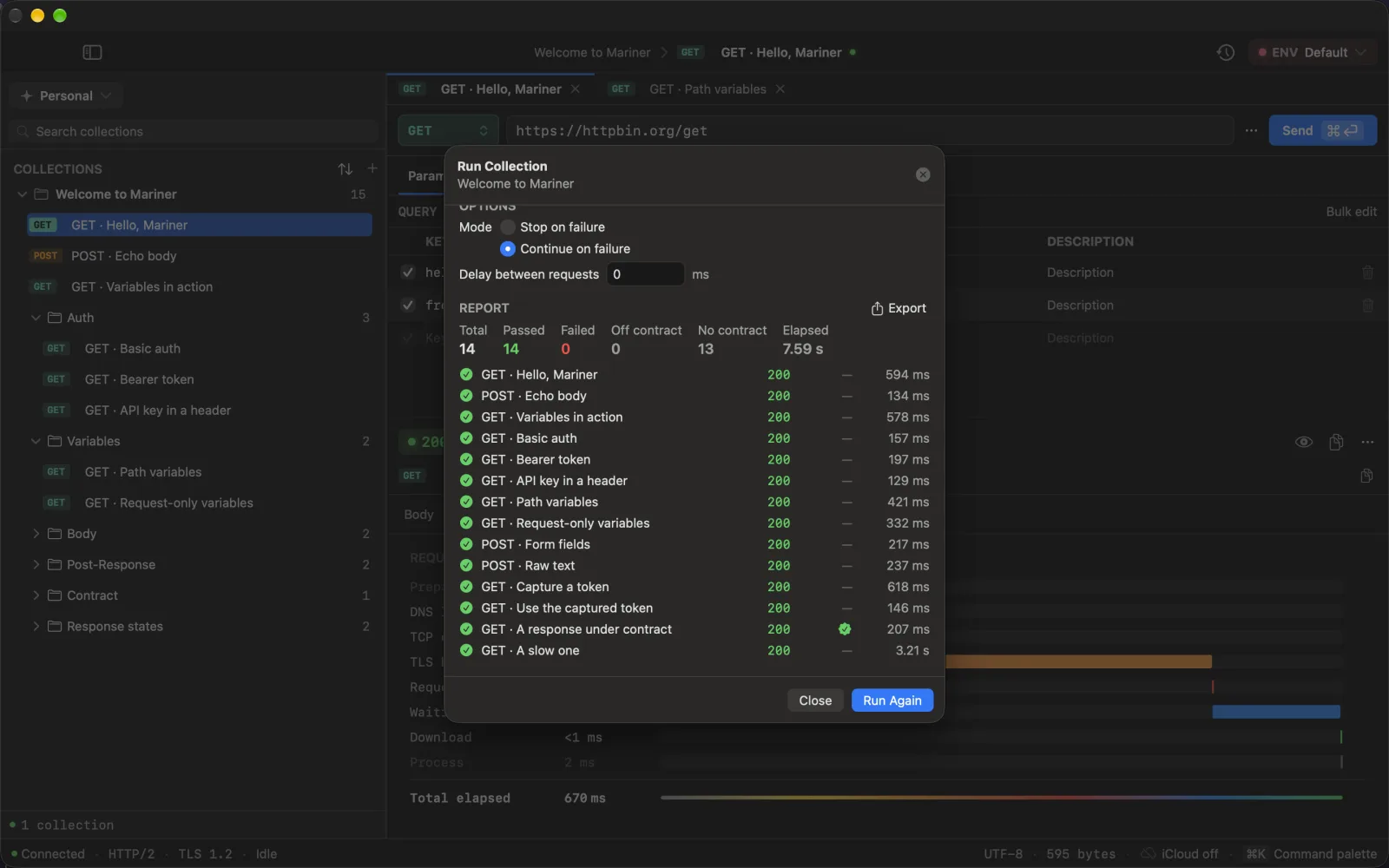
Start a run
- ⌘R runs the collection of the request you are on (Run → Run Collection…).
- Right-click a collection or a folder in the sidebar for Run Collection… / Run Folder….
- ⌘K → Run Collection · name.
The run sheet lists every request in the subtree, depth-first in sidebar order, each with a checkbox. Select All / Deselect All and a n of m selected counter sit above the list.
Options
- Stop on failure (default) or Continue on failure.
- Delay between requests, in milliseconds.
A request passes when the network call completes and the status is between 200 and 399. Anything else — 4xx, 5xx, timeouts, DNS errors — fails. A contract that no longer holds is reported in its own column and never flips a request to failed: the server answered.
Captures flow forward
Before each request the runner rebuilds the variable cascade, so values captured by an earlier request (a token, an id) are already available to the next one. A login → create → fetch chain runs unattended with three capture rules; see Variables and secrets.
Each step also writes a row to History, exactly like a manual send.
Results and report
While running, the sheet shows a progress bar and n of m; ⎋ cancels. When done you get Total / Passed / Failed / Elapsed, one row per request with method, status, duration, captured keys and its contract cell, and:
- Run Failed Again — re-runs only the requests that failed.
- Export… — saves the report as JSON or CSV. The CSV columns are
name, method, url, status, durationMs, error, capturedKeys, contract; the JSON adds the timestamp, totals and whether the run was cancelled.
When at least one request in the run carries a contract, the summary also shows Off contract and No contract — the two always travel together, because a zero-drift count over nine requests nobody checks is not good news. The contract column reads passed, failed(n), invalid_schema or not_json.
⌘↵ runs (or runs again) from anywhere in the sheet.